Valorant crosshair: A complete guide to adjusting it
In this post you will learn how optimize Your sights in Valorant. Discover reticle settings What professional gamers use and how to adjust the sensitivity to improve their shooting accuracy.
In Valorant, the crosshair is the starting point for any player who wants to improve within the game, whether on PC or consoles. Even before thinking about advanced strategies, agents, or positioning, it's your reticle that guides each shot and defines the outcome of many confrontations. Correctly adjusting this detail makes all the difference in firefights, especially in situations where milliseconds separate victory from elimination. Below, see some settings!
How to adjust reticle in Valorant?
Customizing the crosshair in Valorant is one of the game's strong points. Unlike many FPS games, here you'll find a detailed system that allows you to alter virtually every visual aspect of the reticle. To access these options, simply click the gear icon in the upper right corner of the home screen and open the "Crosshair" tab.
Within this menu, you can choose between fixed or dynamic reticles. The fixed reticle maintains the same shape at all times. The dynamic reticle, on the other hand, expands when running or shooting, indicating a loss of accuracy. Many players prefer the fixed version because it helps consolidate muscle memory and facilitates adaptation to the recoil pattern of weapons.
In addition to the type, there are adjustments for:
- Color;
- Line thickness,
- Size;
- Center spacing;
- Opacity.
The choice of color deserves attention. Shades like green, cyan, and white tend to stand out well on maps. The goal is simple: to ensure that your Valorant crosshair never blends into the scenery, especially on maps with significant variations in lighting.
Furthermore, another interesting feature is the use of crosshair codes. The game itself allows you to import pre-made configurations. Simply go to the crosshair tab and select the option to import profile code. When you paste the desired code, the new configuration is saved automatically. Platforms like VCRDB gather codes used by professional players and content creators, facilitating quick testing.
What is the best type of sight?
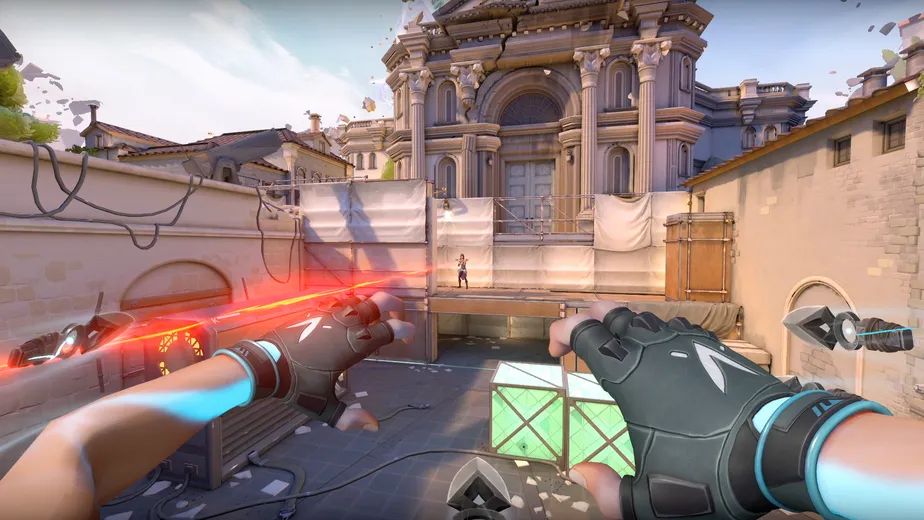
There's no universal answer when it comes to the best crosshair in Valorant. Each player has their own preferences, influenced by screen resolution, monitor size, and play style. Still, some patterns frequently appear in the competitive scene.
A fixed, small, and simple reticle is usually the most commonly used. It is typically a discreet cross, with or without a central dot. This format takes up little space and does not obstruct the enemy's view. Very large or flashy reticles can clutter the screen and hinder the ability to read the situation.
Keeping things simple helps with consistency. When you look at the center of the screen, the focus should be on the target, not the aesthetics of the reticle. Many players report significant improvement by reducing the crosshair size and adjusting the spacing to facilitate alignment at head height.
Improved sensitivity on PC
Sensitivity goes hand in hand with aiming in Valorant. Having a well-configured crosshair is useless if your mouse movement isn't aligned with your playstyle. Lower sensitivities are common among competitive players because they offer greater control in medium and long-range exchanges.
In professional settings, values between 0.35 and 0.55 are frequently seen in-game, usually accompanied by 800 DPI on the mouse . This setting offers stability and favors more precise shots, especially with weapons like the Vandal and Phantom.
A frequently discussed concept is cm/360°, which represents the physical distance needed to rotate the character completely. Values between 30 and 45 cm/360° are considered comfortable by many players who prioritize precision. Most importantly, however, is maintaining consistency. Frequent adjustments hinder adaptation and impair the development of muscle memory.
Improved sensitivity on PS5 and Xbox
On consoles, the experience is different because the controller replaces the mouse. Valorant's aiming with a joystick depends directly on the game's internal settings. Many players start with horizontal and vertical sensitivity around 5, seeking a balance between agility and control.
Adjusting the deadzone to low values helps reduce analog stick response lag. It's also worth considering disabling controller vibration, as it can interfere with stability during firing. Small details make a difference when each confrontation can define the course of the round.
The sensitivity of Aspas
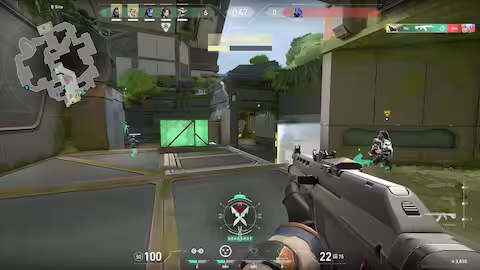
Among the big names in the competitive scene is Erick 'aspas' Santos, a Brazilian standout in Valorant. He uses 800 DPI and a sensitivity of 0.4 in-game, resulting in an eDPI of 320. This value is considered low and favors spray control and precision in single shots.
The equipment he uses includes the Logitech G Pro X Superlight 2, known for its lightness and quick response. Both the zoom and standard aiming sensitivity remain aligned, maintaining a consistent feel in all situations. The reticle adopted by quotation marks follows the minimalist standard: thin lines, little spacing, and a clean look.
Copying professional settings can serve as a starting point, but ideally you should adapt every detail to your own reality. Monitor, mousepad, desk size, and even posture influence how you control your aim in Valorant.
Test changes in the training field, observe your performance in matches, and keep what works. Improvement doesn't happen overnight, but conscious adjustments accelerate the process. When you find a balanced combination of reticle and sensitivity, the game flows more naturally.