Discover CS2 Inspects: A tool for testing skins for free.
In this post you'll find an amazing tool for testing skins for free: CS2 Inspects . See how to view every detail, simulate changes, and check everything in 360° without having to open the game.
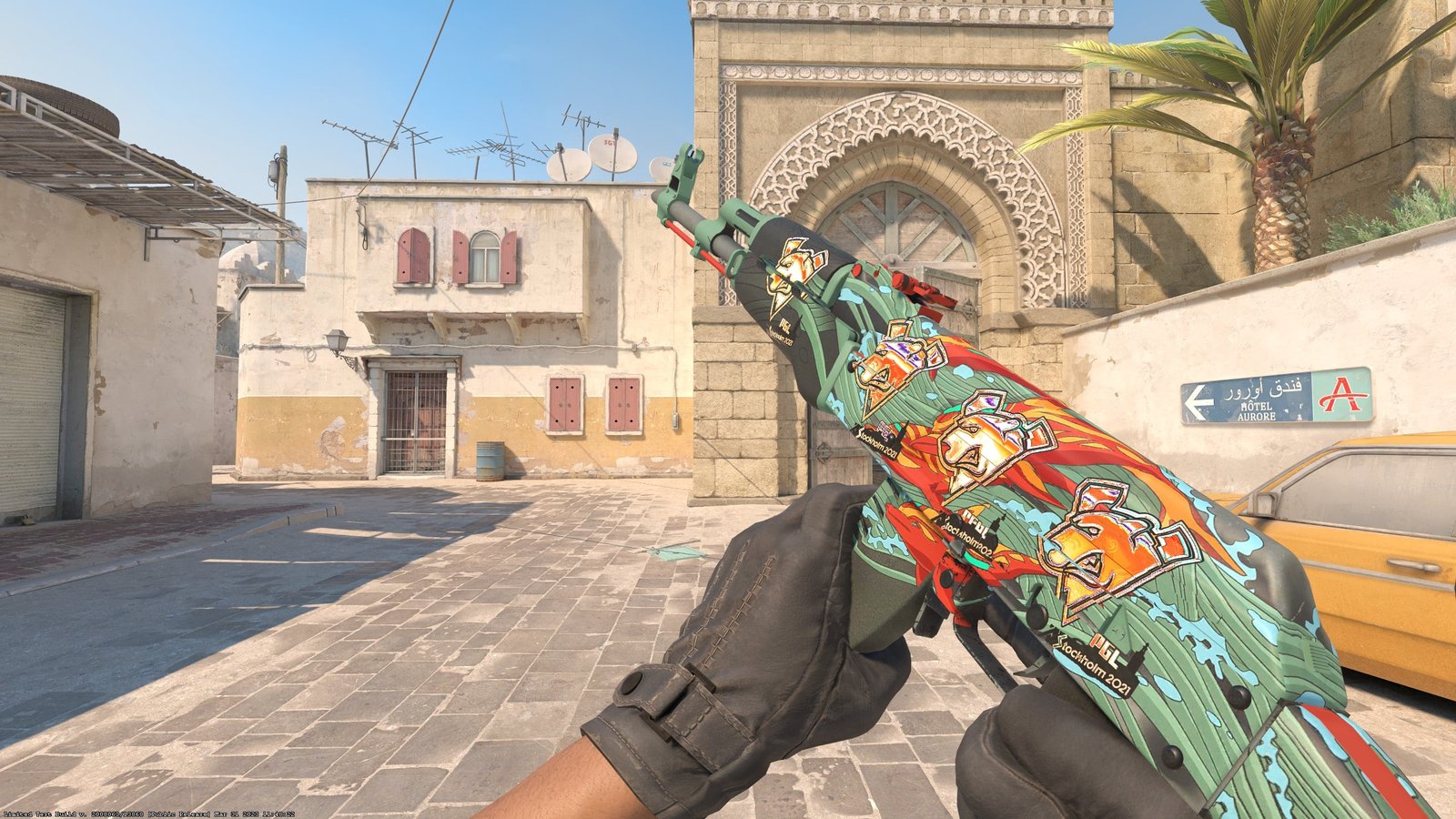
The CS2 Inspects platform is gaining increasing traction among collectors, traders, and anyone who likes to analyze skin details before making a purchase. The platform emerged precisely to solve a common problem: viewing an item in its entirety without relying solely on what Steam displays. With it, you can access important information, observe every detail of the skin, and simulate modifications without even entering the game. Learn more about the platform below!
What is CS2 Inspects?
CS2 Inspects was born as a simple yet very powerful solution. You access the website, paste the skin's link, and in a few seconds you have access to a complete view of the item. It's a platform that has gained popularity for its practicality and the way it brings everything together in one place.
For those who like to track specific patterns, analyze float variations, or check details that influence the final price, the site has become practically a must-visit. No guesswork: there you see everything directly, clearly, and without needing to open extra windows.
Furthermore, another feature that is very popular with users is the 360° view. You can rotate the skin, zoom in, zoom out, and check out aspects that often go unnoticed in the game.
How does CS2 Inspects work?
The process is quite simple. First, you get the skin inspection link from Steam. Then, you paste it into the main field on the website. The platform automatically identifies the item and loads all the relevant information.
Once the skin appears on the screen, you can test settings like seed, float value, and specific details that help analyze variations. You can also simulate stickers to see how the item looks with different combinations. For those who like to create custom items, this feature makes all the difference.
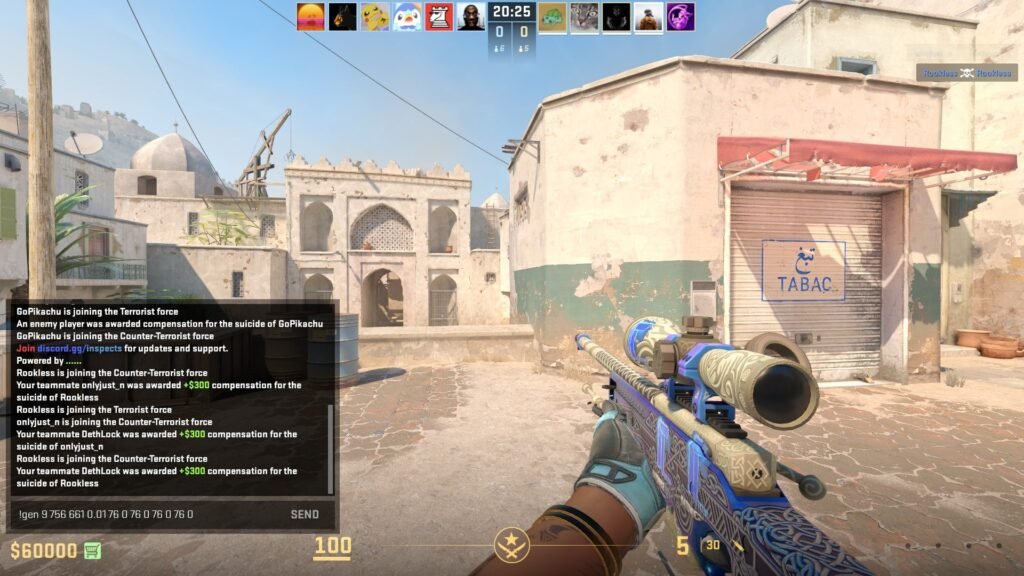
An interesting point: CS2 Inspects itself provides codes that can be used within the game. This allows you to enter a dedicated server and view the skin in a real-world environment, holding the accessory and seeing how it behaves in different lighting conditions.
Simply join one of the servers listed on the website, open the chat, and type the command provided. That's it, the skin will appear for you to examine at your leisure.
How do I generate the link?
Many people find it complicated, but generating the inspect link is one of the simplest parts of the whole process. You open your inventory on Steam, choose the skin, and click "Inspect in Game". Then, simply right-click and copy the displayed address.
This link contains the necessary data for CS2 Inspects to interpret everything automatically. In other words, the item arrives on the website exactly as it was configured within Steam.
Is CS2 Inspects safe?
This is a common question, and the answer is clear: yes. CS2 Inspects only reads public data provided by Steam. At no time does the site have access to your account, your inventory, or any confidential information.
The inspection link does not carry any personal data. It only tells the website how the skin should be displayed. This means there is no risk in copying and pasting this link.
The only recommendation is to access only the official website. As with any popular platform, fake pages may try to mimic the original look. Always verify the address before clicking on any link. And, of course, never provide Steam Guard codes, login credentials, or any other personal information. CS2 Inspects never asks for this.
Testing skins in-game
There are two ways to test skins. The first is by using the website itself: you paste the link and do all the analysis right there. The second involves accessing the servers provided by CS2 Inspects and using the commands that load the skin directly into the game.
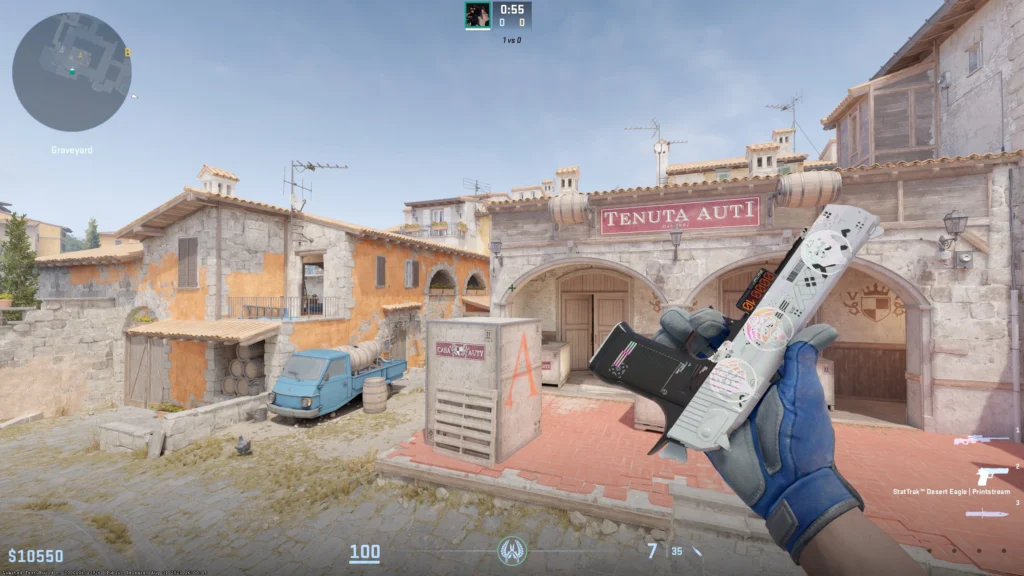
This test within CS2 offers a more realistic view, as you see the weapon in motion and under different lighting conditions. Many people prefer this step before buying or trading an item, precisely because of the clarity of the visualization.
On Steam, simply click "Inspect in-game," and CS2 will automatically open with the skin loaded.
CS2 Inspects has established itself as one of the most comprehensive tools in the community. It centralizes information, facilitates decision-making, and helps you see every detail of the skins in a practical way.
Whether it's to evaluate a more expensive item, compare two similar skins, or just satisfy your curiosity about how a sticker would look on a specific weapon, the platform fulfills its role accurately.